Before Running GenPipes
We highly recommend that new users go through these checklists and address all the pre-requisites for running GenPipes successfully.
1. Check Environment & Setup
Ensure you have the GenPipes runtime environment setup appropriately. It may vary depending upon your GenPipes deployment type. For details on various deployment type options, see Deployment Options. The instructions below list key checklist items for various deployment types.
DRAC Deployment
You can use GenPipes deployed by C3G on the Digital Research Alliance of Canada (DRAC), formerly Compute Canada (CCDB) datacenter servers. Get a DRAC account. Once you have the account, make sure you have your software environment setup for the requisite GenPipes release.
For details see 3. GenPipes Environment Setup section in the DRAC Deployment documentation.
Local Deployment
For using GenPipes deployed locally on your servers, whether bare-metal or virtual servers, or in a container, ensure that the sufficient compute resources are available:
Hardware requirements
CPU
Cores
Memory
Disk speed / SSD capacity
Software requirements
Python 3.11.1
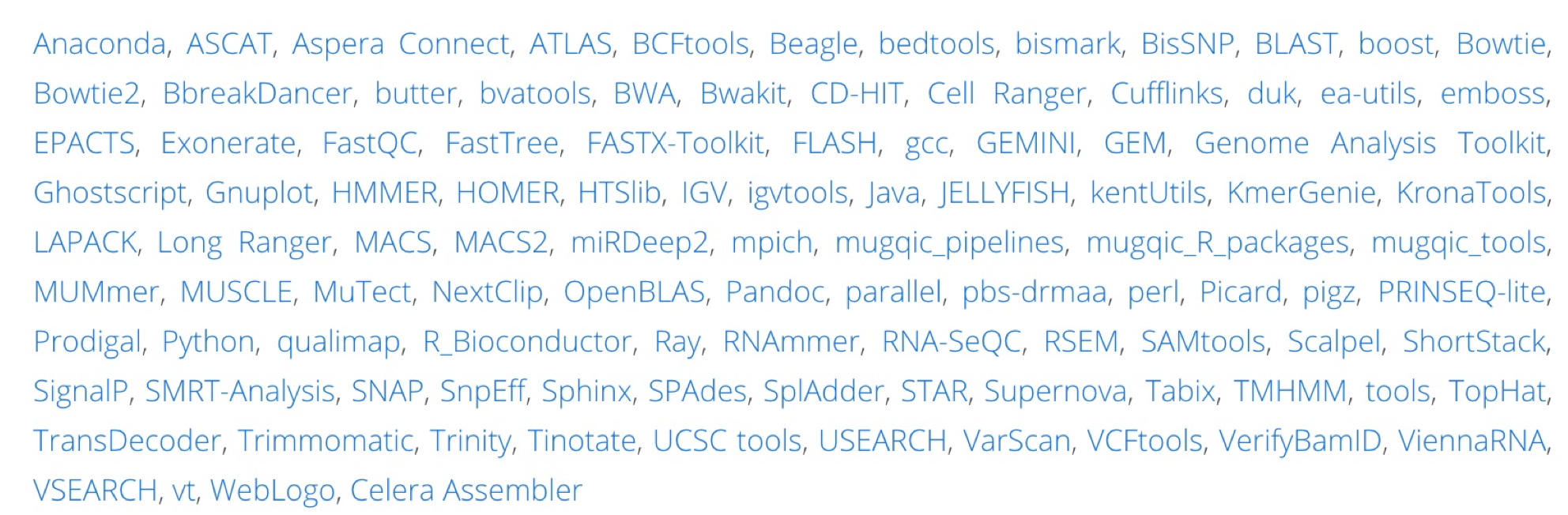
Figure: Software Modules required for running GenPipes
Note
For the complete list of software dependencies, click on ‘Available Modules’.
1. Validate Deployment
Ensure that you can test run one of the GenPipes Pipeline. Simply issue the help option instead of running any jobs. This will confirm whether GenPipes can actually run and environment setup in terms of python modules is taken care of.
Check that GenPipes is deployed
For the Digital Research Alliance of Canada (DRAC), formerly Compute Canada (CCDB), data centre users:
user@machine:~$ genpipes <pipeline_name> --help
Ensure CVMFS is mounted
3. Check Input Files
Verify if the required input file(s) for the pipeline run can be accessed:
ini or configuration files
Readset file
Design file